Prepare a restaurant team for unplanned absences
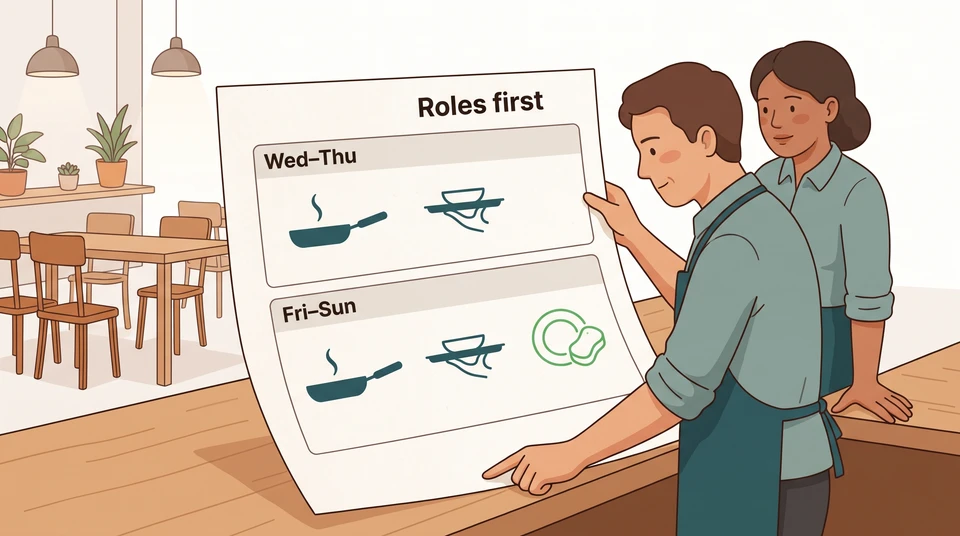
A possible backup is not confirmed cover. Prepare two clear role cards, name who can change service and review what the plan still needs.
Before the weekend, write down which work has no ready replacement, who can change the service plan and what you will stop offering if cover falls through. Do it while you can still check training, bookings and assignments—not while guests are arriving.
Keep this separate from responding to a call-out. This is a preparation exercise: one short readiness card for each critical role, a named decision-maker and a review after service. It is not a way to predict who will be absent.
Agree reporting and decision ownership
During a team briefing, explain where someone should report that they cannot attend, which manager receives that message and who takes over when that manager is unavailable. Check that those contact details are current. Keep the cover decision with the manager rather than asking the absent person to arrange a replacement.
Use the venue’s existing absence arrangements. Don’t invent a reporting deadline, ask for health details in a shared planning note or turn this card into an attendance policy. Check any proposed contact or shift change against the requirements and employment arrangements that apply to your venue before using it. US and Australian venues need their own checks; this exercise doesn’t settle leave, pay or roster-change rules.
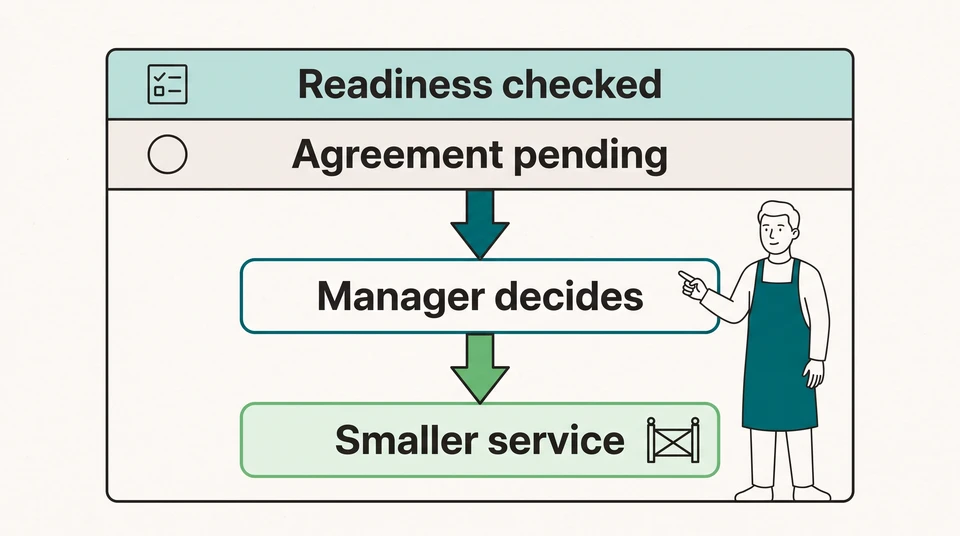
Name the person who can decide to close a section, delay opening or stop taking more bookings. Also name an on-duty deputy with that authority. If neither can make a workable service plan, leave the affected service closed rather than assuming the owner will arrive and rescue it.
For example, imagine Maya manages a neighborhood restaurant preparing for Friday dinner. Guests normally arrive from 5–9 pm; preparation and closing sit outside that window. Maya owns the service decision. Devon, the on-duty shift lead, can keep the patio closed or pause new seating if Maya is occupied with a guest problem. Neither is spare kitchen or floor cover.
On Thursday, Maya and Devon walk through the plan with the kitchen and floor leads. They choose 4 pm Friday as their pre-opening decision point. A later disruption still needs a fresh decision—it doesn’t wait for next week’s review.
Know role-ready backup options
Start with the duties and hours, then check names. The US O*NET food service manager profile includes scheduling hours and assigning duties together. Use that pairing: “patio server, 5–9 pm” needs more detail than “someone available Friday”.
Before listing an option, the manager should check:
- The actual duties: orders, payments, station setup, closing or supervision—not just a job title.
- The readiness evidence: completed practice and the supervisor who has seen the person do those duties independently.
- The possible hours: including any uncovered preparation, closing or handover period.
- The conflicts: existing assignments, relief duties and anything that would be left without an owner.
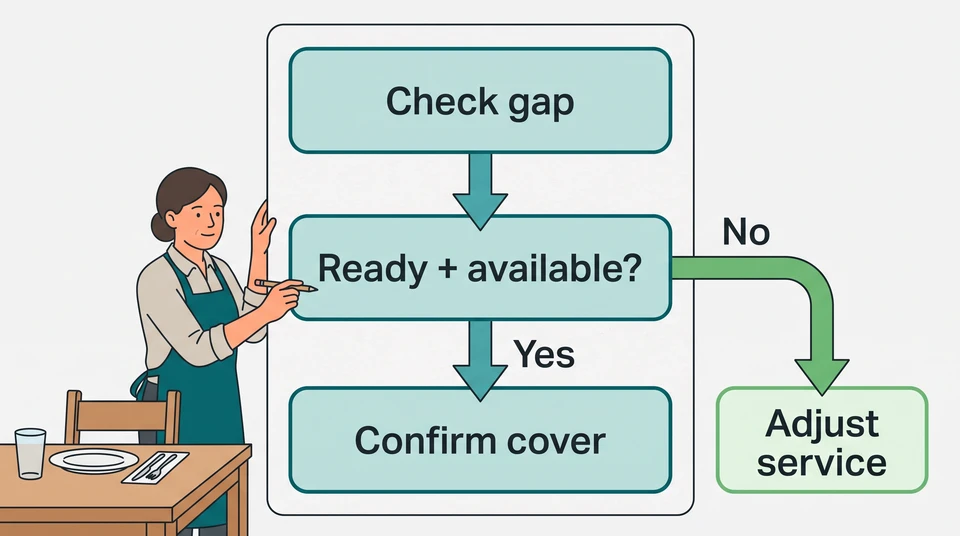
- The remaining decision: whether the person can and wants to take the specific shift when an invitation is actually made.
A new starter’s onboarding record is a place to begin, not proof they can run a station. Ask the training lead which duties they can take on and which still need supervision. Availability, readiness and agreement are three different checks.
Maya’s Friday readiness cards
These are selected weak points in an example, not a complete staffing or paid-hours plan. Maya keeps the rest of the schedule, preparation, closing and relief arrangements alongside them.
Patio server, 5–9 pm
- Checked on Thursday: floor lead Rosa has observed Jordan handling patio orders, payments and section close independently.
- Possible hours: Jordan has indicated 6–9 pm could be possible. Jordan is already assigned to food running from 5–6 pm and cannot cover the patio then.
- Limit: no invitation has been made and no extra cover is agreed. A possible 6 pm start does not cover the 5 pm opening.
- Decision and fallback: Maya decides by 4 pm whether the patio can open at all. Without checked, agreed cover for the intended service, it stays closed. Devon can keep it closed if Maya is occupied.
Grill cook, 4–10 pm, including preparation and close
- Checked on Thursday: kitchen lead Quinn confirms Dana can run this grill independently.
- Possible hours: Dana has indicated 5–8 pm could be possible; actual agreement is still pending.
- Limit: Dana cannot cover 4–5 pm preparation or 8–10 pm service and close. Quinn already owns another kitchen station; moving Quinn would leave that work uncovered. Maya and Devon are not grill-ready replacements.
- Decision and fallback: Maya and Quinn must establish a workable kitchen plan by 4 pm. If they cannot, Maya delays or cancels dinner and Devon coordinates the guest update. A partial cook option is not permission to open the usual dinner service.
Keep those limits beside each role, not in a separate note someone might miss. Mark possible cover “not agreed” until the specific hours and duties have actually been settled. Nobody on this list is being asked to wait unpaid or remain on call.
Prepare service adjustments
Write the smaller service plan before you need it. For the patio, Maya checks reservations, indoor seating and the host’s workload on Thursday. Closing the patio does not mean moving every booking indoors. Devon owns contacting affected guests and explaining the reduced seating; the host handles arrivals using the revised booking list.
For the grill, Maya and Quinn check whether any smaller menu is genuinely workable with the kitchen team that remains. If not, the fallback is delayed or cancelled dinner—not a new starter taking over the grill.
Now try to break the plan:
- Jordan cannot help. Keep the patio closed; the card is an option, not guaranteed cover.
- Jordan can help only from 6 pm. Don’t count Jordan on the patio and food running at 5 pm, or open early on that assumption.
- New starter Eli can run food only with Rosa supervising. If Rosa is serving her own section and cannot supervise, Eli is not an independent replacement. Either arrange real supervision and cover Rosa’s work, or remove that option.
- Maya is occupied when arrivals need a decision. Devon uses the agreed authority to pause seating; Maya is not counted as both problem-solver and replacement server.
- The grill cook is also unavailable. A closed patio does not fix the kitchen gap. Recheck the whole reduced plan and delay or cancel dinner if necessary work still has no ready owner.
Ask the leads to name simultaneous jobs: taking orders, handling a guest complaint, supervising Eli and greeting arrivals. If the same person appears twice at the same time, change the plan. Don’t solve one gap by hiding another.
Once an absence actually happens, use the restaurant call-out coverage sequence for invitations, replies and confirmation. These cards prepare the decision; they don’t replace it.
Review patterns without assumptions about private reasons
After the weekend, Maya meets Devon and the leads to review the preparation. Ask about the work: did the card name the right hours, was the readiness check accurate, could the deputy act, and did closing a section leave a different job uncovered?
For each problem, record one change, its owner and when to check it. For example: “The guest-update task had no owner while Devon managed arrivals. Maya will name a separate guest-contact person before next Friday—or reduce the bookings we accept.”
Look for repeated weaknesses in the plan, not patterns in people’s illnesses or family needs. Don’t rank employees by absence or ask them to explain private circumstances to the team. If the same task is uncovered even when the planned team is present, move that separate question into an understaffing review.
Keep the card beside your schedule
Start on paper or beside the schedule you already use. If you need a free weekly grid, try the CrewCentral schedule maker. You build it manually in your browser without an account or email; the draft stays in that browser. It is not an AI generator or a shared cloud schedule, and it doesn’t contact employees.
For a team workspace, CrewCentral Scheduling brings hiring, onboarding, training and scheduling context together. Account-based AI can draft around availability, role skills and coverage, but a manager reviews and adjusts the draft before publishing. Keep the readiness and service decision with your managers: a roster draft is not a prediction of absence or confirmation that someone has accepted cover.
Before your next busy service, finish one card: role, hours, checked readiness, limits, decision owner and smaller-service fallback. Leave any unagreed cover visibly conditional.