Prepare the opener
Define opening shifts and barista positions so you can check the right people are assigned before the doors open.
The opener needs to know the machine. The rush needs enough hands. Your part-time crew needs a week that fits. CrewCentral brings cafe staff scheduling, availability, onboarding, and role training into one workspace.
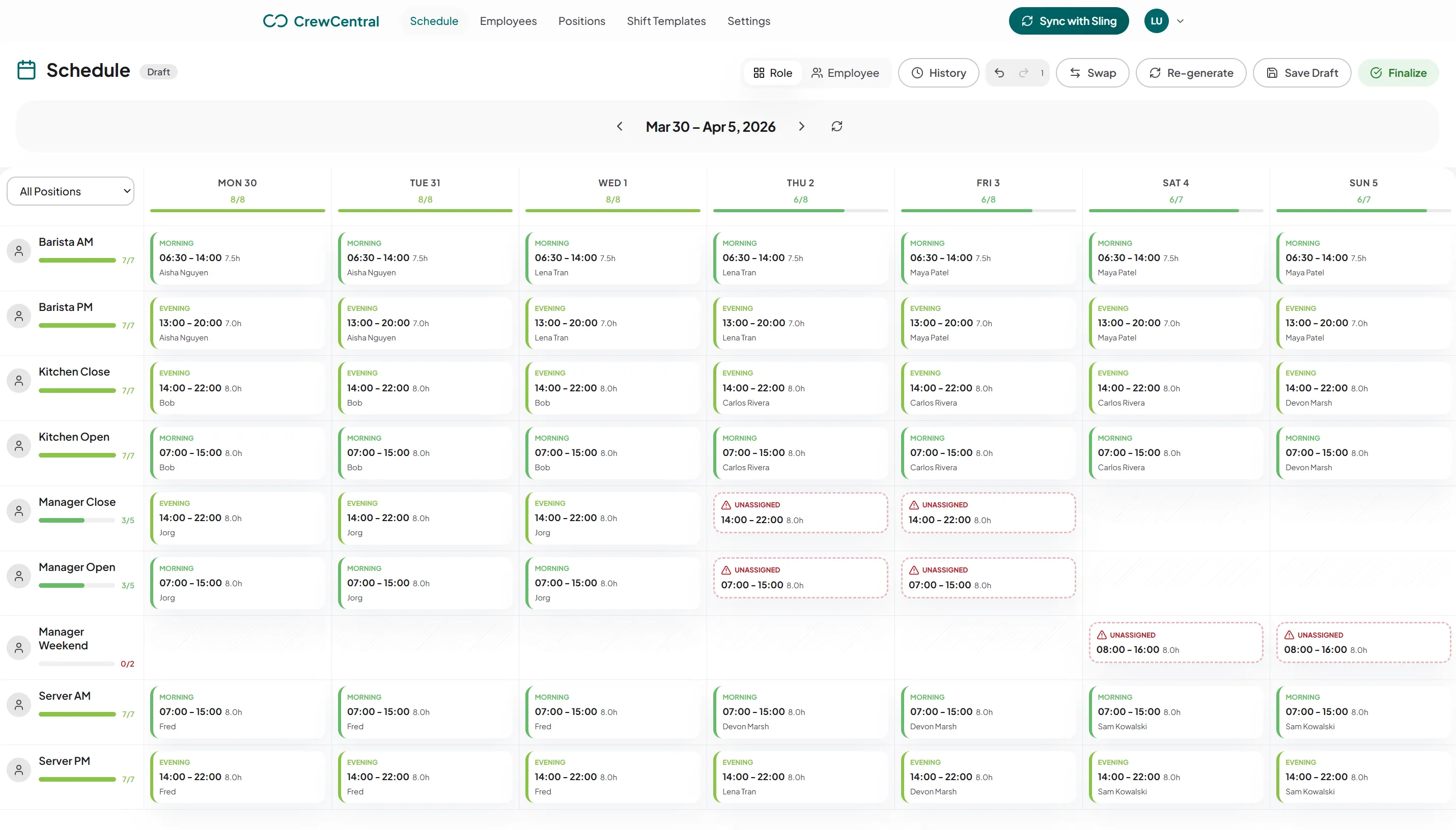
Your opener might also be your most experienced barista. Your weekend counter staff may have lectures during the week. Planning a cafe roster means balancing who is free with who can handle the coffee queue, food prep, and close. Those details need to be visible before the first customer arrives.
Define opening shifts and barista positions so you can check the right people are assigned before the doors open.
Bring recurring availability and time off into planning, including study commitments, second jobs, and different weekend hours.
Track the steps from counter service to coffee preparation. Use role readiness when deciding who can take an opening shift.
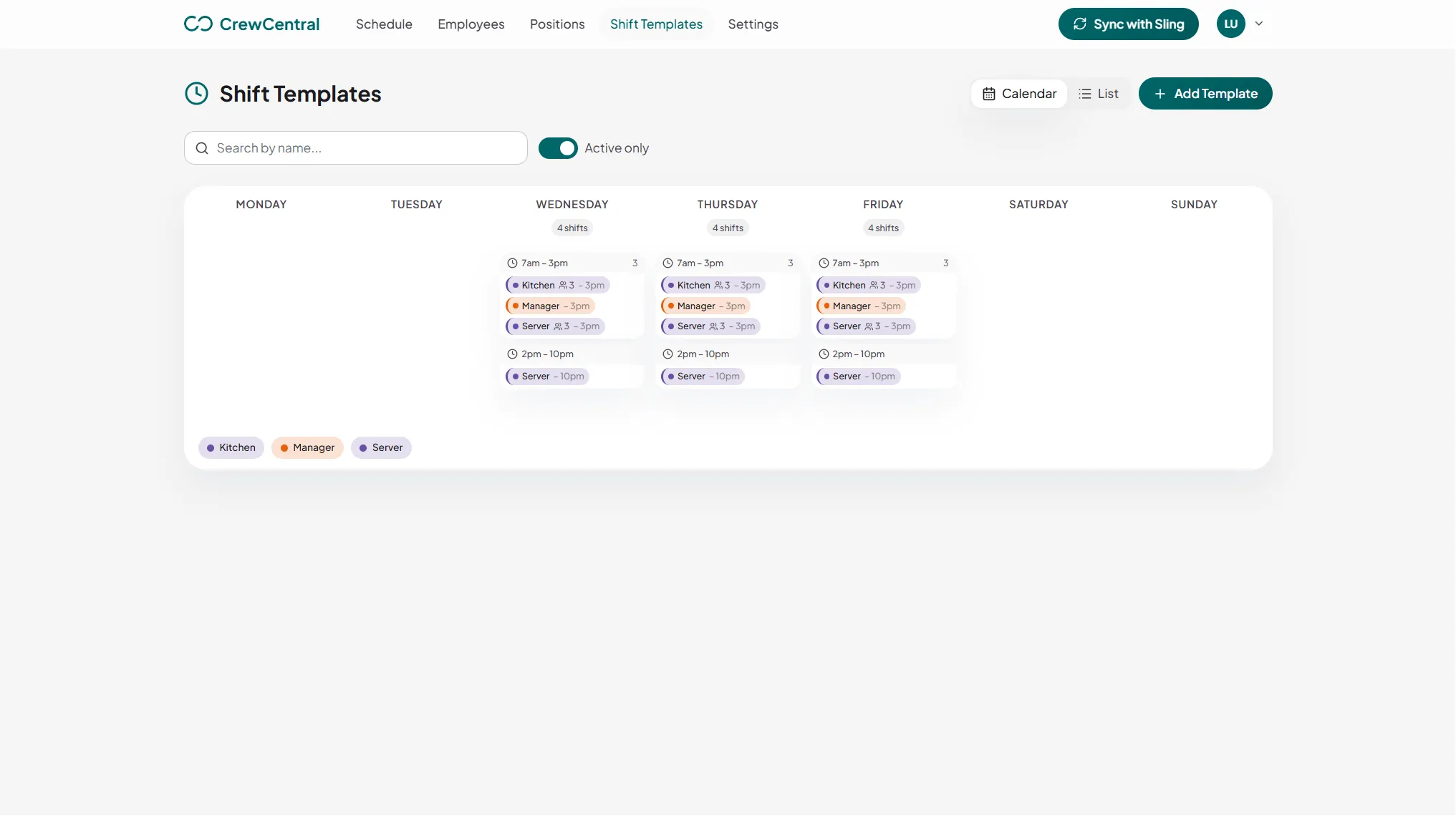
Create shift templates for the early opener, morning overlap, food prep, and close. Reuse that structure when drafting the next week, then change the people or times for your Saturday breakfast service. You define the coverage your cafe needs.
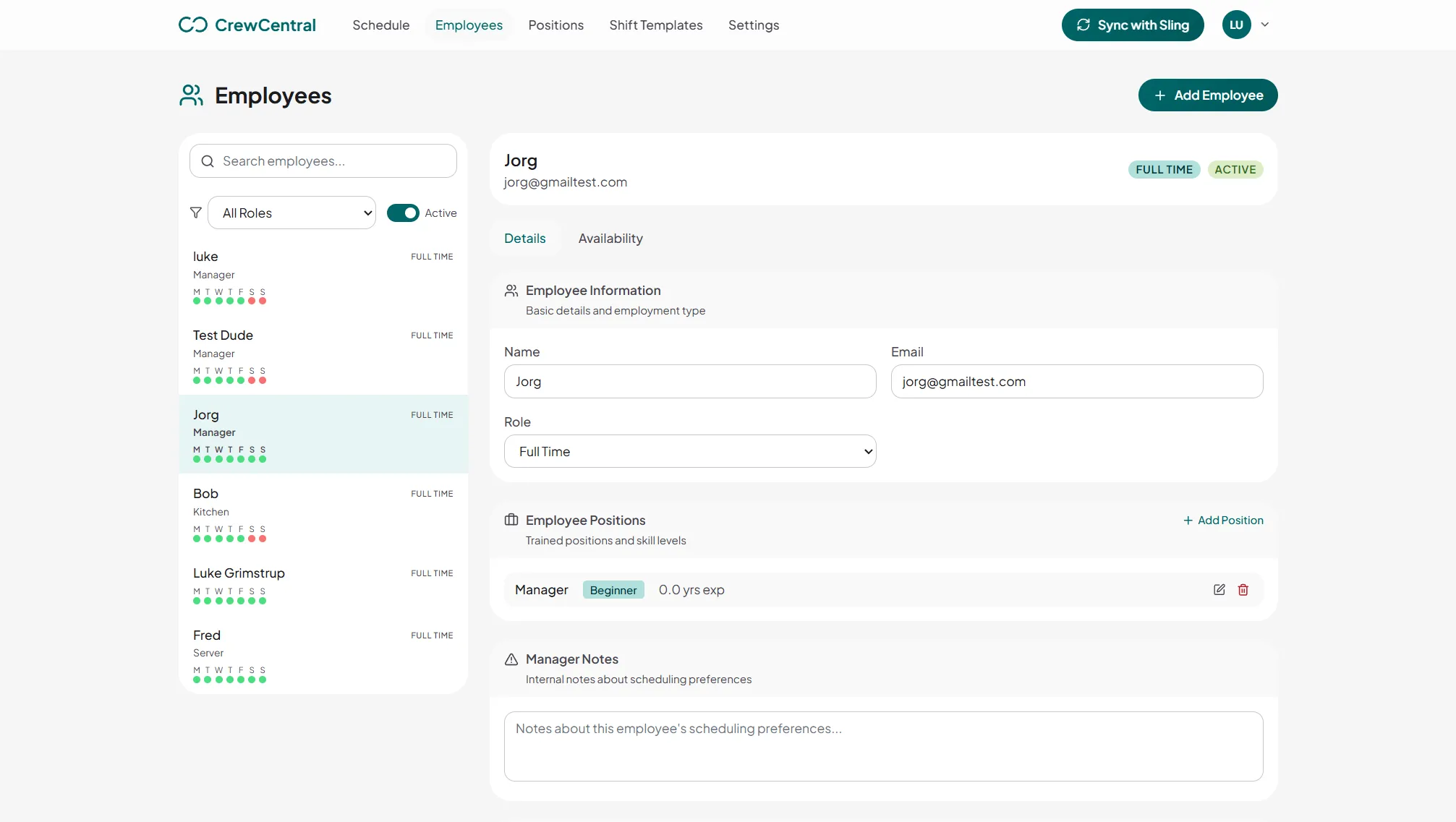
Being free at 6:30 does not mean someone is ready to open alone. Keep positions and experience in employee profiles, then use role-based training to track what each person has learned. Managers can review that context when they assign the opener or a busy coffee shift.
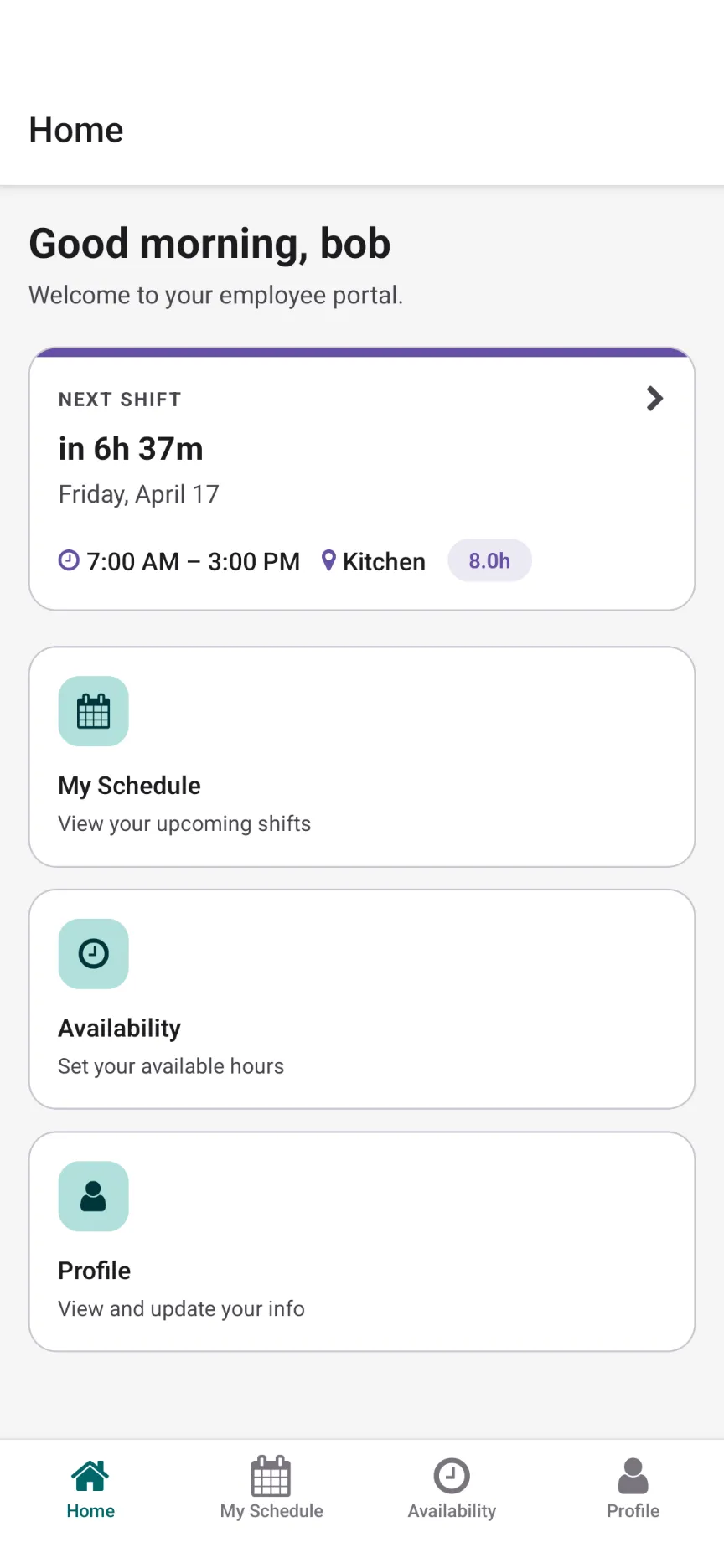
Employees can view their shifts and update availability in the mobile app. Use that information and time-off inputs to draft the week yourself or with AI rostering. Review any gaps before publishing, and handle eligible cover requests when plans change.
CrewCentral connects hiring, onboarding, training, and scheduling around the same team. Keep useful details with the person as they move into the work.
Organize candidates by the barista, counter, or kitchen role you are filling and keep their experience details together.
Explore hiring →OnboardingSet up the worker profile and cafe-specific tasks, so the manager can see what is ready before the first shift.
Explore onboarding →TrainingTrack role-based learning steps and see progress as staff move from supporting the counter to covering coffee shifts.
Explore training →Add barista, counter, and kitchen positions, along with the opening, peak, and closing shifts your week needs.
Review availability and time off. Draft the roster, check role coverage, and make sure your opening and peak shifts have the right skills.
Publish the schedule for your crew to check. Review cover requests and keep training progress available for the next roster.
Yes. CrewCentral is designed for shift-based teams of any size. A small coffee shop can set up its people, positions, and reusable shift templates, then plan around availability and role skills. Hiring, onboarding, and training share the same team context.
Yes. Set up shift templates for your weekday and weekend service patterns, then use them to prepare the week. Managers can adjust shift times and assignments before publishing, including extra overlap for a busy breakfast service.
Use recurring availability and time-off inputs while drafting the schedule. Employees can update their availability in the mobile app, and managers can review it alongside role skills before assigning shifts.
CrewCentral keeps role and experience details in worker profiles and supports role-based training steps with manager-visible progress. Use that information to review who is ready for a barista or opening shift. It does not provide a certification guarantee.
Yes. The free public schedule maker lets you draft a week, use shift templates, and print or export a roster without an account. That draft stays in your browser. Create a CrewCentral workspace for team publishing, availability, and the connected product modules.
Try a weekly cafe roster, check your opening and peak coverage, and print or export a draft without creating an account.
Open the free cafe schedule maker →Create a workspace and bring scheduling, hiring, onboarding, and training together.
Create your free workspace