AI rostering, with you in control
Generate a draft around availability, role skills, and coverage. Make your changes and publish when the week looks right.
Make a weekly schedule for your team, whatever work you do. Start with example people and neutral roles, adjust shift times, and review the week. Your edits are saved in your browser; create an account when you want to share.
Cafés, restaurants, bars, retail teams, and service crews: give your team a clear plan and give yourself less chasing to do.
Save your roster in CrewCentral, then bring availability, shift changes, and check-ins into the same place.
Sign up for free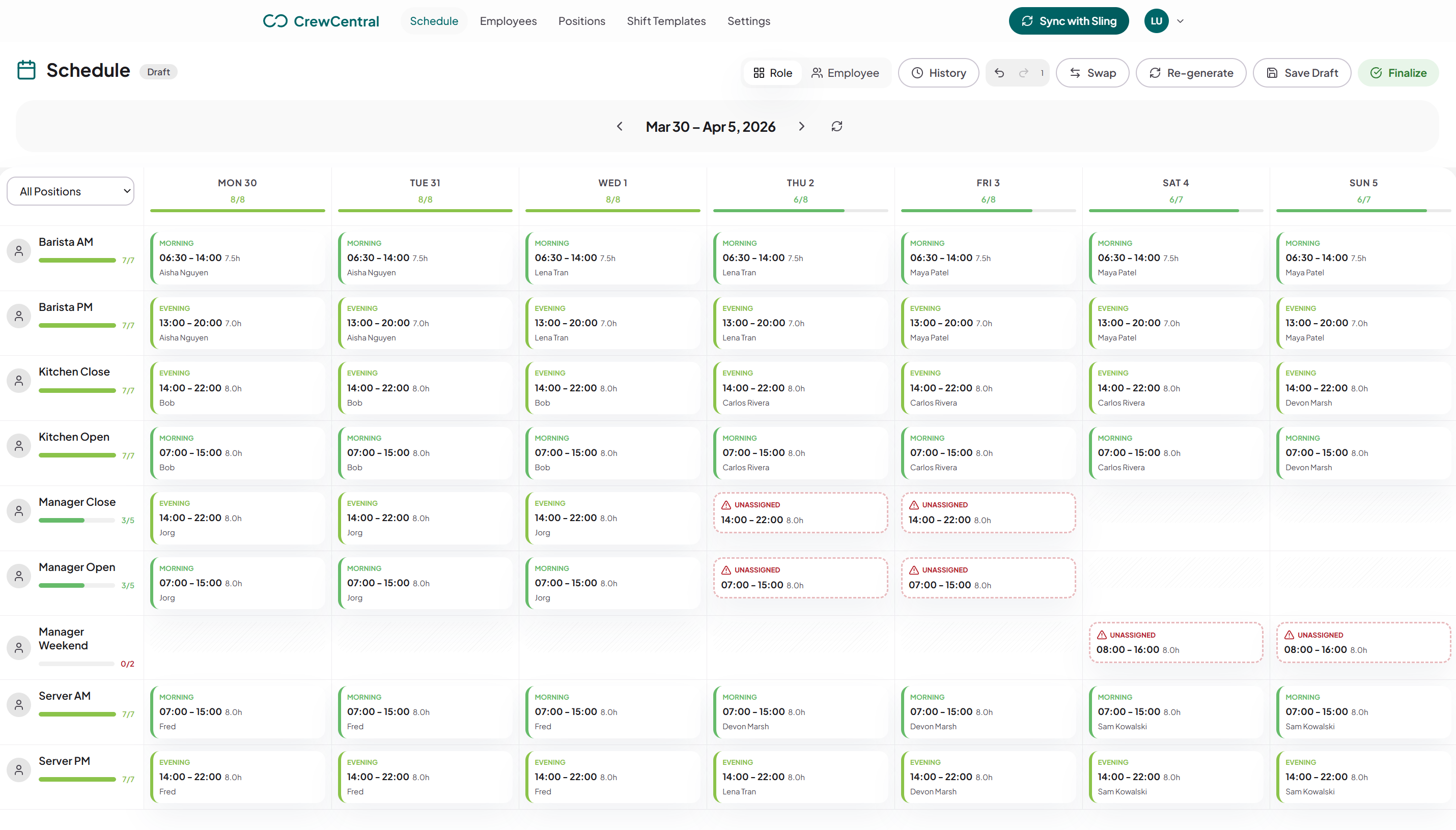
Keep the people and the details behind every shift together, from the first draft to the last check-out.
Generate a draft around availability, role skills, and coverage. Make your changes and publish when the week looks right.
Staff keep their availability and time off up to date. You plan with the full picture, without piecing together messages.
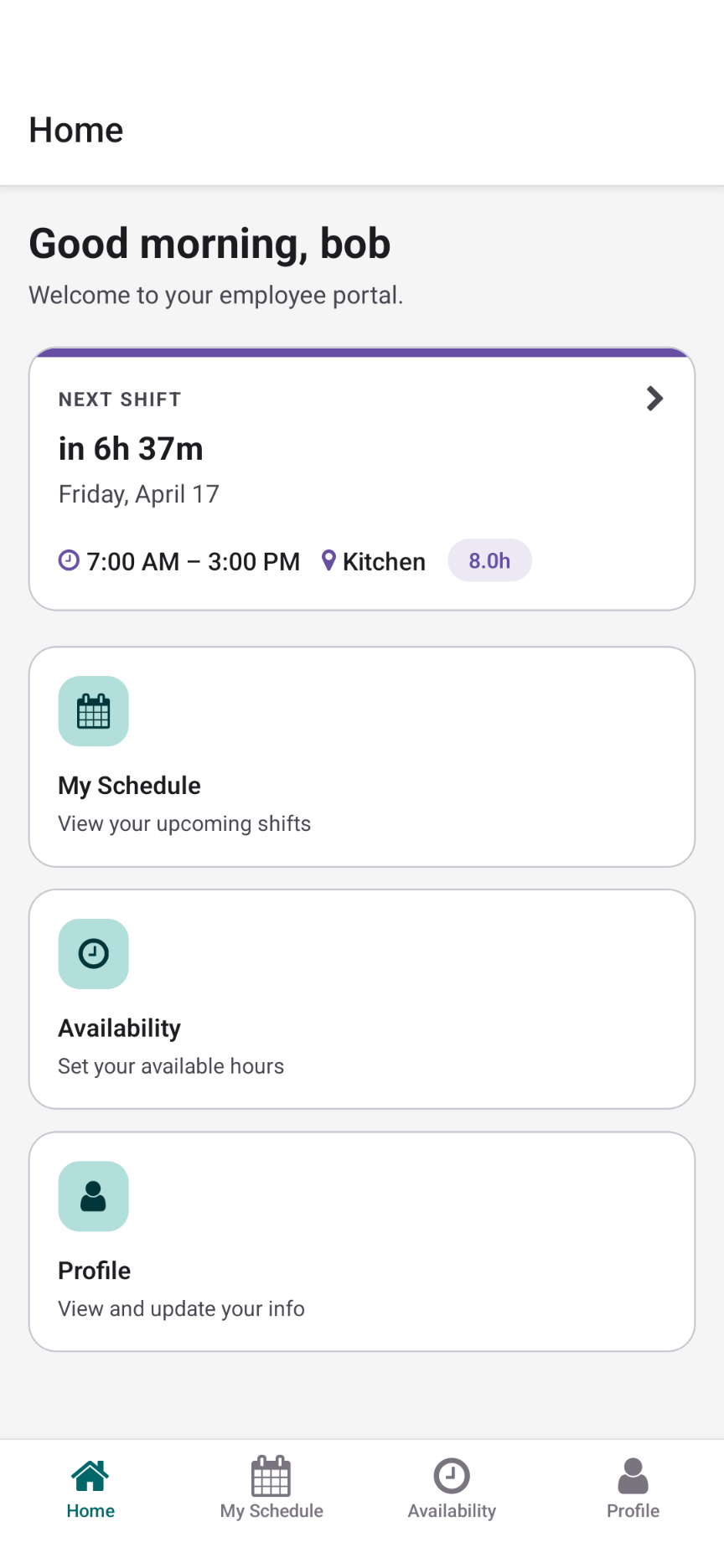
Shifts, availability, and change requests in one place on your team’s phones. Everyone knows where to find their week.
Staff clock in, clock out, and record breaks. See attendance and worked hours alongside the shifts you planned.
Save and publish your roster for the whole team. Employees see their shifts, with email updates when notifications are enabled.
Eligible employees can request open shifts and arrange swaps. You review the requests and keep the final say on coverage.
Start right here in the free editor. When you’re ready to save and share with your team, your roster comes with you.
Back to your rosterReplace the example people, adjust positions and shift times, and get your week into shape.
Choose Share roster in the editor. Your people, positions, templates, and shifts move into CrewCentral.
Invite your employees, collect availability, and publish the finished roster for everyone to see.
Rename the starter roles to match your workplace. Add employees, set shift template start and end times, and move between people and positions to check coverage.
Print the full seven-day schedule, export CSV, or copy it to next week. Choose Share roster when you want to save the draft in a CrewCentral account and publish it for your team.
The editor is free to use without an account. Sign up when you want to save and publish with your team.
Yes. The starter roles are Team Member, Shift Lead, and Support. Rename them, add your employees, and change the shift times to suit your workplace.
No. You can edit the schedule, save it in your browser, print it, and download CSV without an account. Create an account when you choose Share roster to save and publish with your team.
Yes. Copy the current week, then adjust assignments and shift times for the new dates. Reset returns this tool to its neutral starter people, positions, and shifts.
An account brings employee availability, AI roster drafts, publishing, a mobile app, check-ins, and open shift or cover requests into the same workspace.
Create your free CrewCentral account and give your people one place to see shifts, update availability, and stay ready for work.