A clear coverage sequence for a restaurant call-out
Start with the uncovered station, not a group message. Keep one manager in charge of suitable cover, confirmation and a smaller service plan if needed.
A dinner server calls out before service. Before asking anyone to come in, write down what is now uncovered: the station, the hours and the work someone must be ready to do.
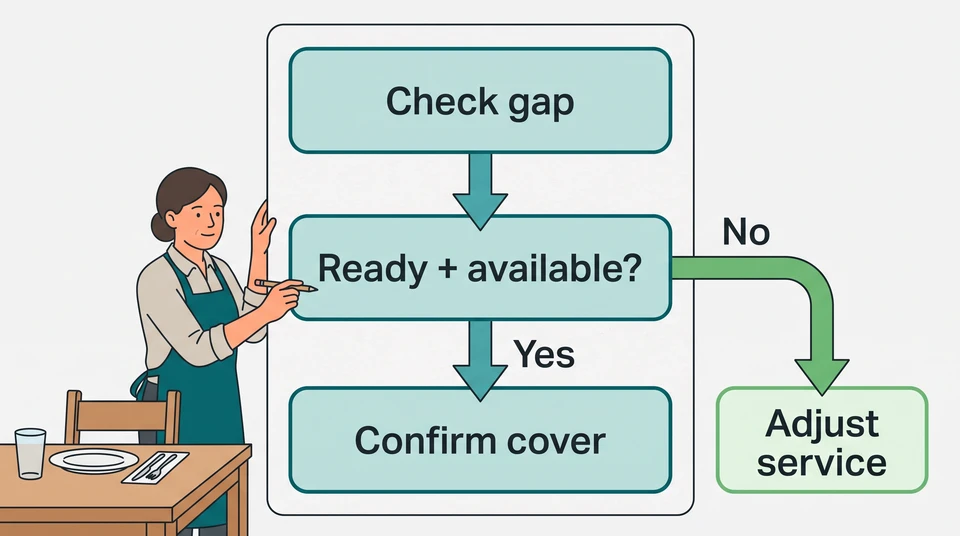
Keep one manager in charge of the response. Check suitable cover, make one offer at a time and record the confirmed plan. If nobody can cover the work, change the service plan rather than treating an available beginner as a ready replacement.
Identify the uncovered work
Start with the shift, not a group message. Note the date, start and finish, section and duties. Leave personal health details out of the coverage record. Acknowledge the call-out privately and keep the search for cover with the manager; don’t ask the absent employee to organize it.
For example, imagine a neighborhood restaurant where a server cannot work tonight’s 5–10 pm dinner shift. The gap is the patio section: taking orders, serving meals, handling payments and closing the station. Those are different jobs from clearing plates. The US O*NET server task list includes orders, payments, table service and cleanup—use your own menu and service setup to make the gap specific.
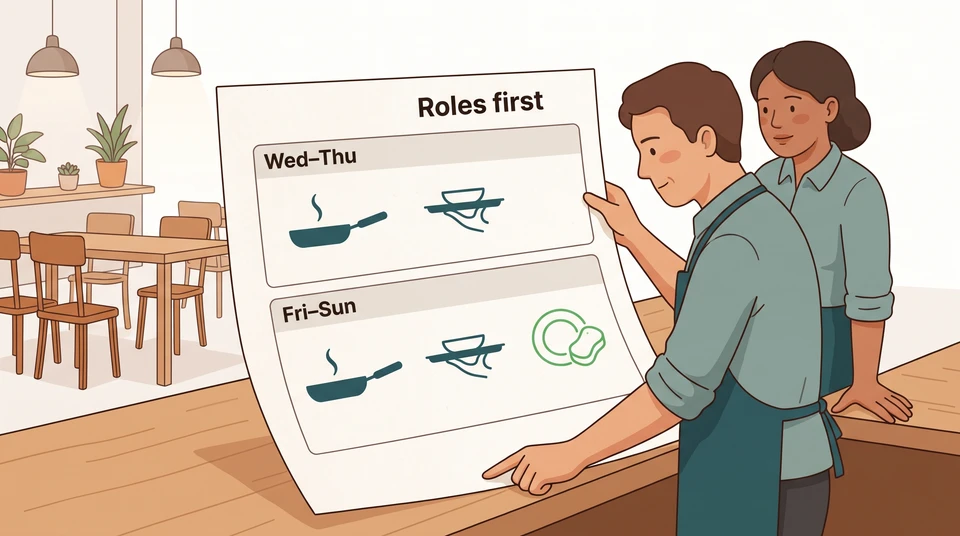
Ask the floor lead what the remaining team can genuinely cover. Don’t simply add the patio to someone else’s section. Name what would move, who would do it and what work would be left behind.
Check availability and readiness separately
Compare people against the actual gap. For each possible replacement, check:
- Can they work the needed hours, including arrival, any required paid preparation and closing?
- Have they already handled this station’s duties, ordering system and menu questions to the standard your venue needs?
- Do they have any required role qualifications, and have you checked the proposed change against their other shifts, breaks, rest and pay arrangements?
- Would moving them leave another station uncovered?
An old availability entry is a starting point, not an acceptance of tonight’s shift. Ask the person before changing their assignment.
Suppose Jamie is available, but has only cleared tables and run food. Don’t assign Jamie the patio alone. Check their completed training and ask the supervisor who has seen their work what they can take on today. Australia’s table-service competency reference covers preparation, orders, service and team coordination; it is a useful task reference for Australian venues, not a US qualification rule.
Jamie might help with familiar support tasks while an experienced server owns a smaller service area. Only choose that option if a named supervisor has time to supervise and their own duties are covered. If not, keep looking or reduce service. Don’t plan to fit missing training into the rush.
Before offering changed hours, check the rules and arrangements that apply to your venue. In the US, use your state labor agency and relevant city authority; the Department of Labor’s state labor office directory is a starting point. In Australia, check the applicable award or agreement using Fair Work’s hours, breaks and rosters guidance. Don’t treat this sequence as clearance for overtime, roster changes or out-of-hours contact.
Contact people without creating conflicting commitments
Keep a short contact record with one owner. Record the person, offer, reply and next step. Don’t let the owner, floor lead and another supervisor make separate offers for the same gap.
Once you’ve checked a suitable option, send a specific invitation through the contact method agreed with your team. For example:
Are you available to cover the patio server shift tonight, Friday, 5–10 pm? Please reply yes or no by 3:30 pm. I’ll confirm the assignment with you before updating the schedule. No problem if you can’t.
Choose a reply time that leaves you room to adjust service. It is a decision point for the manager, not an obligation for the employee to respond or accept. Silence is not confirmation.
If there’s no reply, close the offer before approaching the next person. Send a clear update that the offer is no longer open; don’t leave overlapping invitations pending. A late yes goes back to the manager for a fresh check, not straight onto the floor.
After a yes, confirm the date, hours, station and duties with the employee. Record their acceptance and your confirmation, then update the schedule and brief the floor lead. If the terms change, confirm them again.
Reassess service if suitable cover isn’t available
Set a service decision time before the rush. If the gap remains, the manager should work with the host, kitchen and floor lead on a smaller plan they can run safely.
For the patio example, that might mean keeping the patio closed and seating only in the dining room. Before choosing it, check existing reservations and name who will contact affected guests, manage arrivals and explain the revised wait. Don’t promise that the remaining servers can absorb every table.
If you reallocate duties instead, check each person’s full assignment, including breaks, closing and any supervision. Stop if the change just creates another uncovered job. The owner or duty manager should make any further service reduction needed.
Keep a brief final record:
- Gap: Friday, patio server, 5–10 pm.
- Response owner: duty manager.
- Outcome: confirmed replacement with agreed duties, or patio closed for this service.
- Communication: employee confirmation recorded where relevant; host, kitchen and floor lead briefed on the final plan.
For a simple manual schedule update, try the free schedule maker. It works without an account or email and saves edits in your browser; print or export the plan, then communicate the change yourself. It doesn’t contact employees or find a replacement.
For ongoing planning, CrewCentral Scheduling connects hiring, onboarding, training and scheduling context. Availability and role skills can inform an AI roster draft in an account, but managers review it before publishing. Keep the same human check for tonight’s cover: available, ready, agreed and confirmed.