Cover the whole night
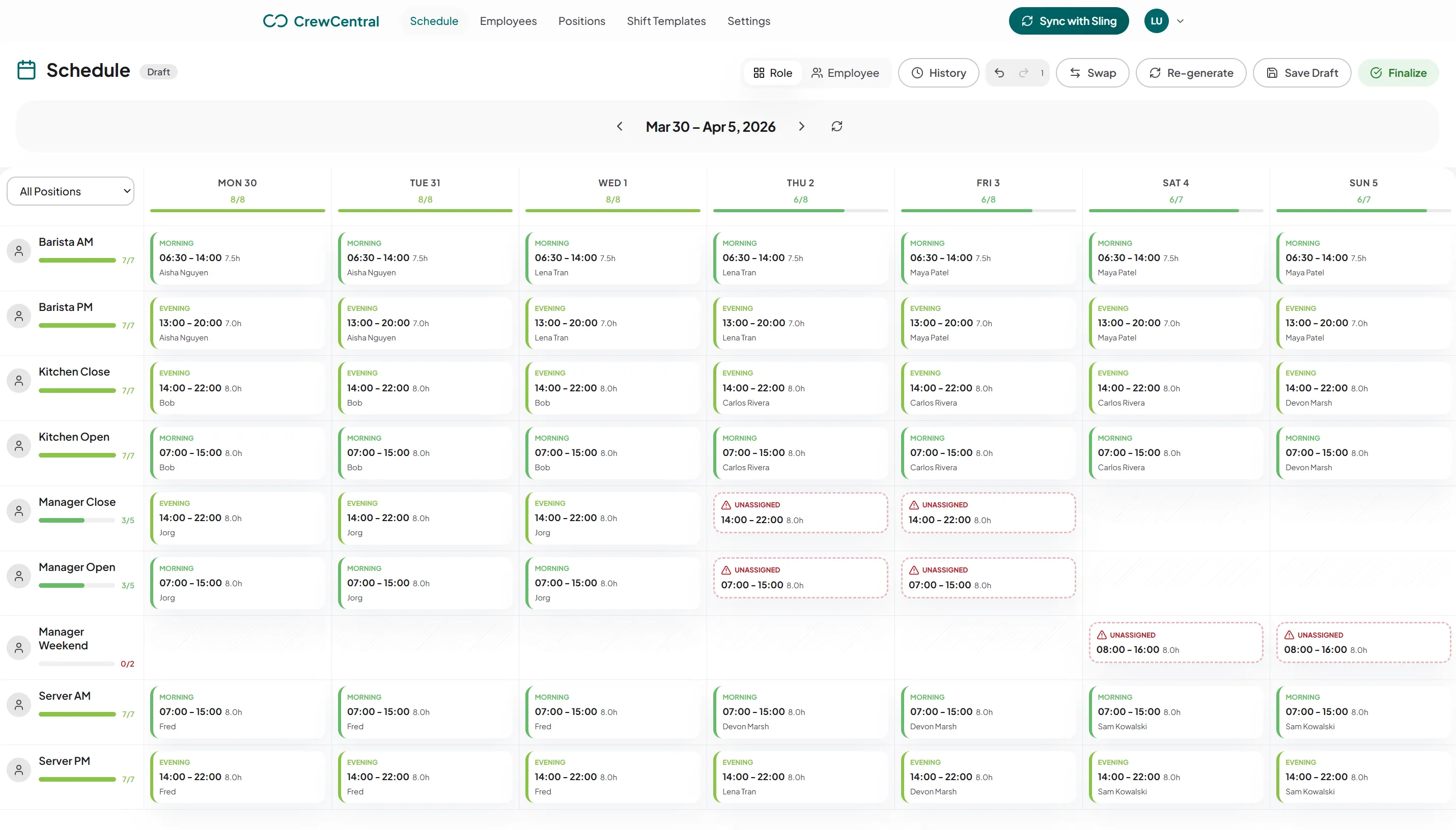
Set up bartender, barback, floor, and manager positions, then review coverage from the first setup shift through closing.
A quiet Tuesday and a packed Friday need different rosters. CrewCentral helps bars, pubs, and brewery taprooms plan the right roles for each shift, work around casual availability, and keep new starters moving from onboarding into service.
The bar needs experienced hands, the floor needs cover, and closing needs someone who knows the routine. Casual staff may rotate between venues or work a second job. When that context lives in separate messages, the manager has to piece it together every week while preparing for the next busy night.
Set up bartender, barback, floor, and manager positions, then review coverage from the first setup shift through closing.
Use staff availability and time off to prepare the roster. Review eligible claims and cover requests when someone’s plans change.
Keep onboarding and training progress near the roster so a new starter’s first floor shift has the context it needs.
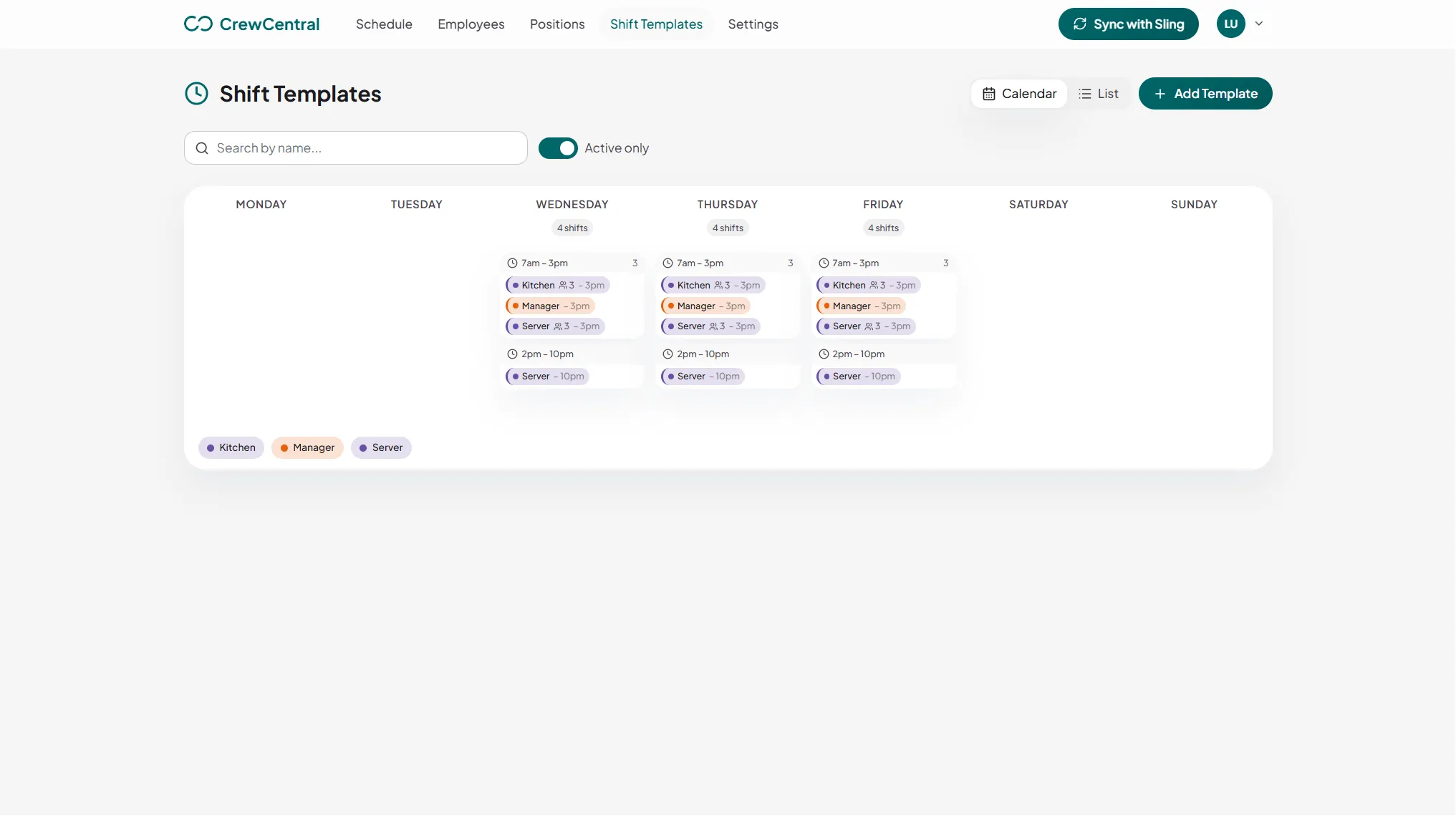
Define reusable templates for setup, evening service, peak overlap, and close. Give each role its own place in the draft, so extra floor coverage does not hide an unfilled bartender shift. Review planned hours and make changes before the roster goes out.
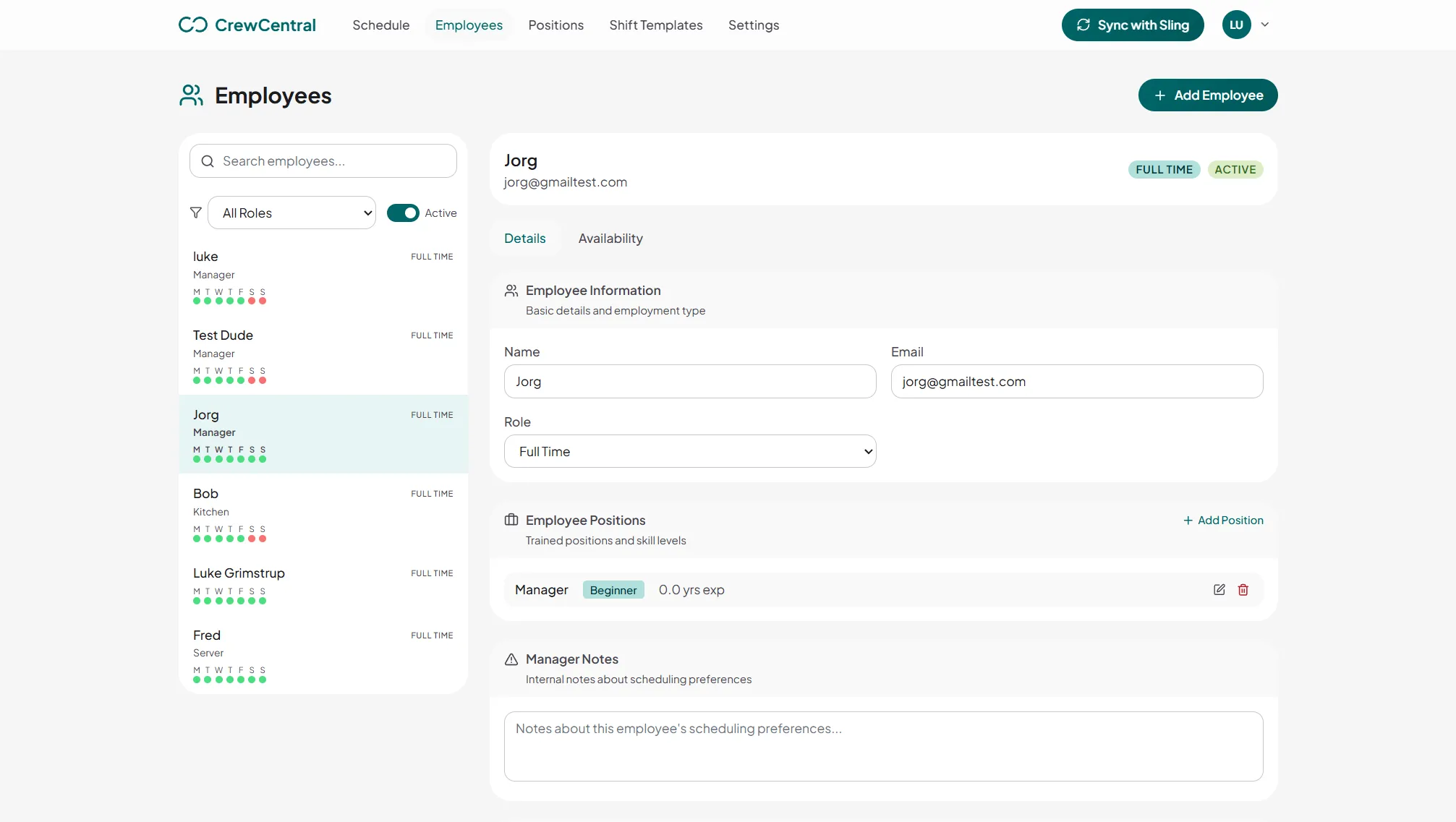
Keep worker roles and experience together rather than relying on memory when filling a gap. Role-based training steps give managers a view of progress. Use those details when deciding whether someone can cover a busy bar shift or needs more support first.
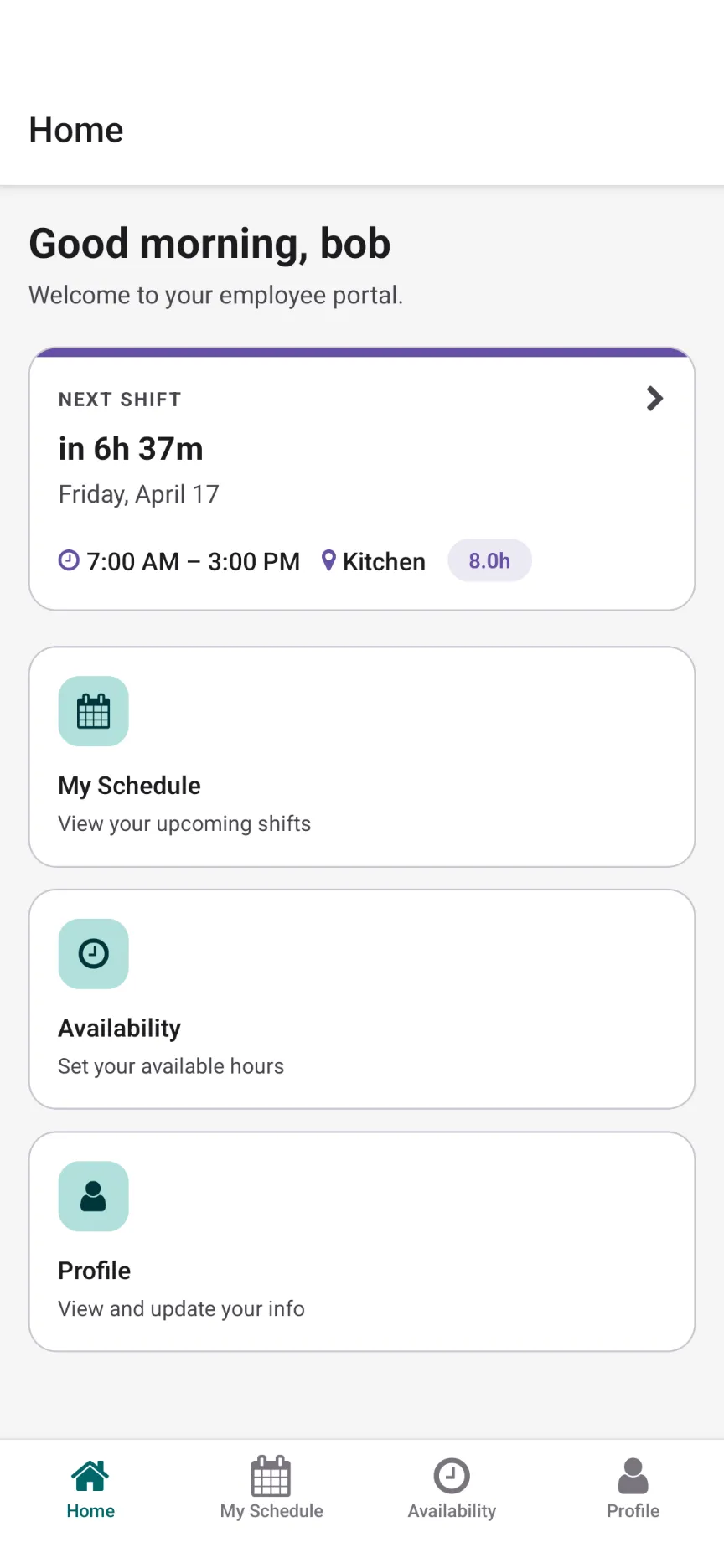
Give staff a schedule they can view in their account and mobile app, with availability they can update themselves. When a shift needs cover, managers can review eligible claims, swaps, and cover requests. Follow clock-ins, clock-outs, breaks, and worked hours through the week.
CrewCentral connects hiring, onboarding, training, and scheduling around the same team. Keep useful details with the person as they move into the work.
Keep bartender, barback, and floor candidates organized with the role and experience details that matter to your team.
Explore hiring →OnboardingMove accepted candidates into worker profiles and team-specific tasks, with progress visible before they join the roster.
Explore onboarding →TrainingDefine the steps people need to learn for each role and review progress before assigning them to cover it alone.
Explore training →Add your bartenders, barbacks, floor staff, and managers. Set up shift templates for setup, service, and close.
Prepare the week around availability and role skills, using AI rostering if useful. Review peak coverage, open shifts, and planned hours.
Share the finished roster, review eligible cover requests, and follow shift check-ins. Keep your crew’s training context ready for the next draft.
Yes. Bars, pubs, and brewery taprooms can configure their service positions and shift templates in CrewCentral. The workflow focuses on staff scheduling, availability, hiring, onboarding, and training. It is not a brewery production or inventory system.
Yes. Set up separate bartender, barback, floor, and manager positions and review the schedule by position or employee. Reusable shift templates let you plan setup, peak service, and closing coverage before publishing.
Staff can update availability in the mobile app. Recurring availability and time-off inputs help shape the draft, while role skills provide context for assignments. A manager reviews the roster and makes the final decisions before publishing.
CrewCentral supports manager review of eligible open shift claims, swaps, and cover requests. Employees can view their published shifts in their account and mobile app, and email updates can be sent when notifications are enabled.
CrewCentral’s offering here is staff scheduling and connected hiring, onboarding, and training. Tip pooling, alcohol-license verification, award interpretation, and automatic labor-law compliance are not included in these claims. Managers remain responsible for reviewing applicable requirements.
Draft a week for your bar, check roles and planned hours, and print or export the roster without an account.
Open the free bar schedule maker →Create a workspace and bring scheduling, hiring, onboarding, and training together.
Create your free workspace