AI rostering, with you in control
Generate a draft around availability, role skills, and coverage. Make your changes and publish when the week looks right.
Build a cafe schedule around opening shifts, barista coverage, lunch rushes, and weekend brunch without turning a small team into a spreadsheet puzzle.
Cafés, restaurants, bars, retail teams, and service crews: give your team a clear plan and give yourself less chasing to do.
Save your roster in CrewCentral, then bring availability, shift changes, and check-ins into the same place.
Sign up for free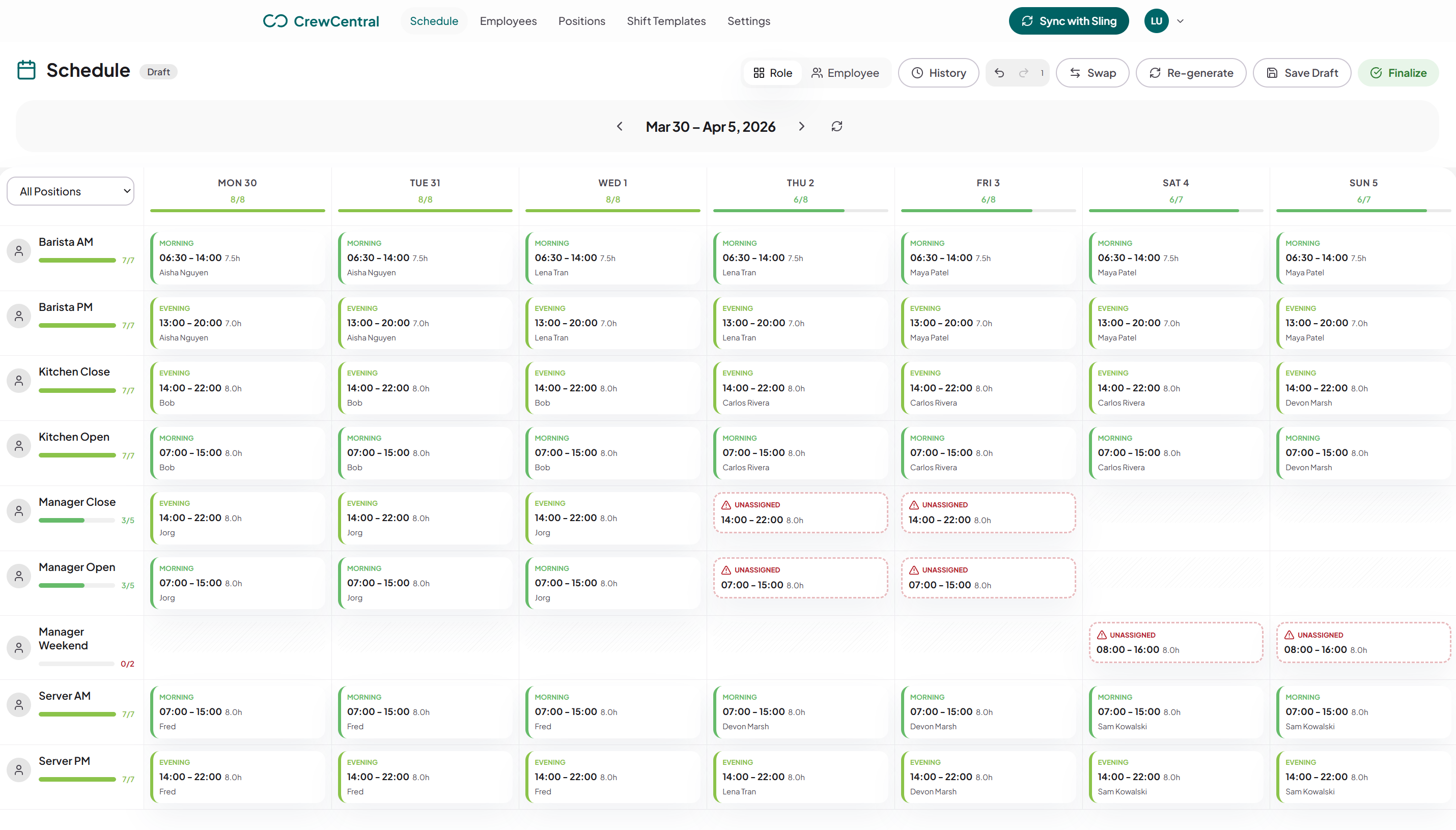
Keep the people and the details behind every shift together, from the first draft to the last check-out.
Generate a draft around availability, role skills, and coverage. Make your changes and publish when the week looks right.
Staff keep their availability and time off up to date. You plan with the full picture, without piecing together messages.
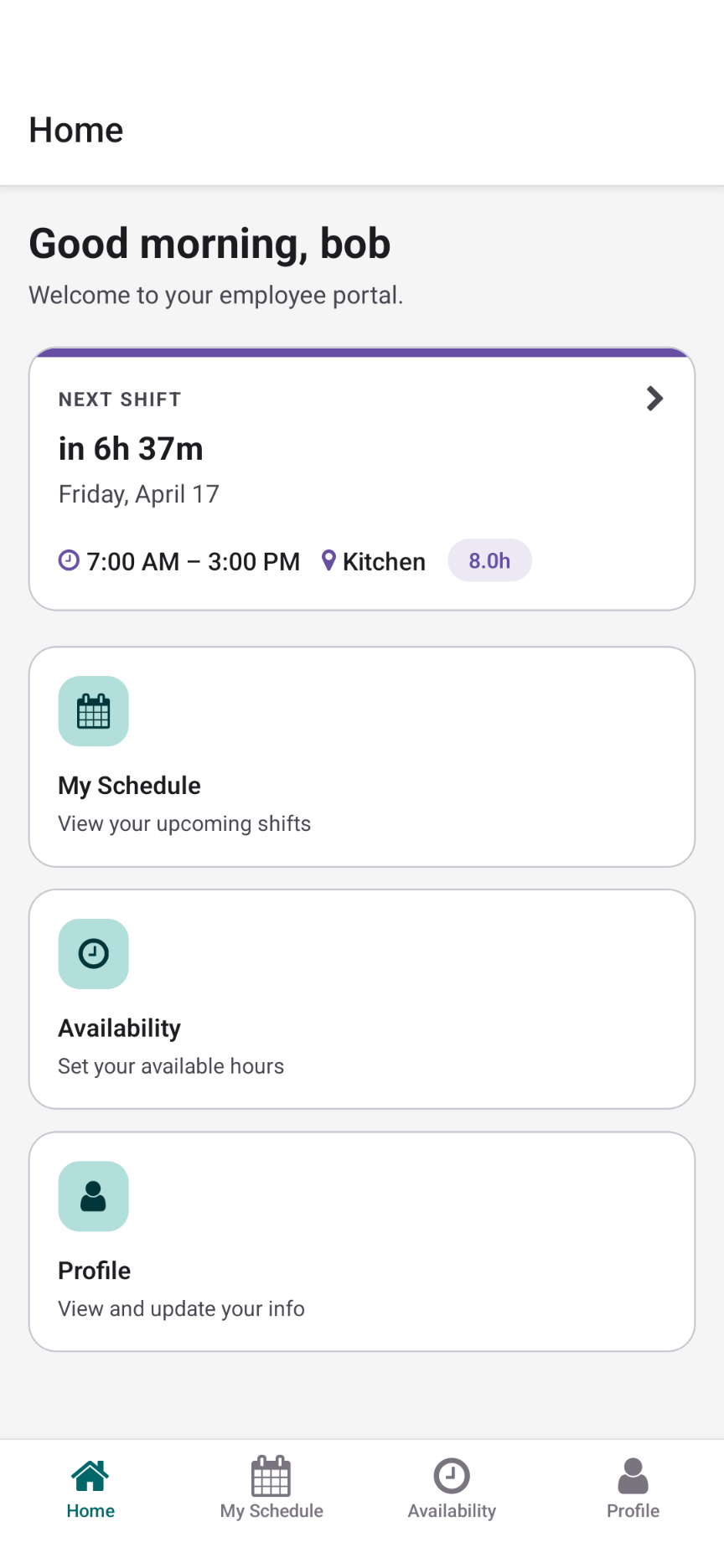
Shifts, availability, and change requests in one place on your team’s phones. Everyone knows where to find their week.
Staff clock in, clock out, and record breaks. See attendance and worked hours alongside the shifts you planned.
Save and publish your roster for the whole team. Employees see their shifts, with email updates when notifications are enabled.
Eligible employees can request open shifts and arrange swaps. You review the requests and keep the final say on coverage.
Start right here in the free editor. When you’re ready to save and share with your team, your roster comes with you.
Back to your rosterReplace the example people, adjust positions and shift times, and get your week into shape.
Choose Share roster in the editor. Your people, positions, templates, and shifts move into CrewCentral.
Invite your employees, collect availability, and publish the finished roster for everyone to see.
Cafe scheduling breaks when the open is under-covered or the brunch rush lands on the wrong mix of baristas, floor staff, and kitchen prep.
For cafes, the same people often work across roles. CrewCentral keeps roles, preferences, and availability attached to worker profiles so next week starts with context.
The editor is free to use without an account. Sign up when you want to save and publish with your team.
Include open, rush, prep, floor, and close coverage, plus role labels and planned hours for each staff member.
Add custom shift times for each person in the free editor. Create a CrewCentral account to keep recurring availability attached to each worker.
A spreadsheet can work for a simple week. Live scheduling becomes useful when availability, swaps, time off, and repeating role coverage start changing every week.
Create your free CrewCentral account and give your people one place to see shifts, update availability, and stay ready for work.