Hire

Hiring

Onboard

Onboarding

Train

Training

Schedule

Scheduling

Built for

Shift-based teams RestaurantsCafesBars

Resources

Learn

GuidesBlog

Company

Product overview About Contact
Get started for free Login
Availability planning

Employee Availability

Stop rebuilding availability from messages every week. Keep each person’s available days, preferred shifts, and time off near the schedule so you can plan with fewer surprises.

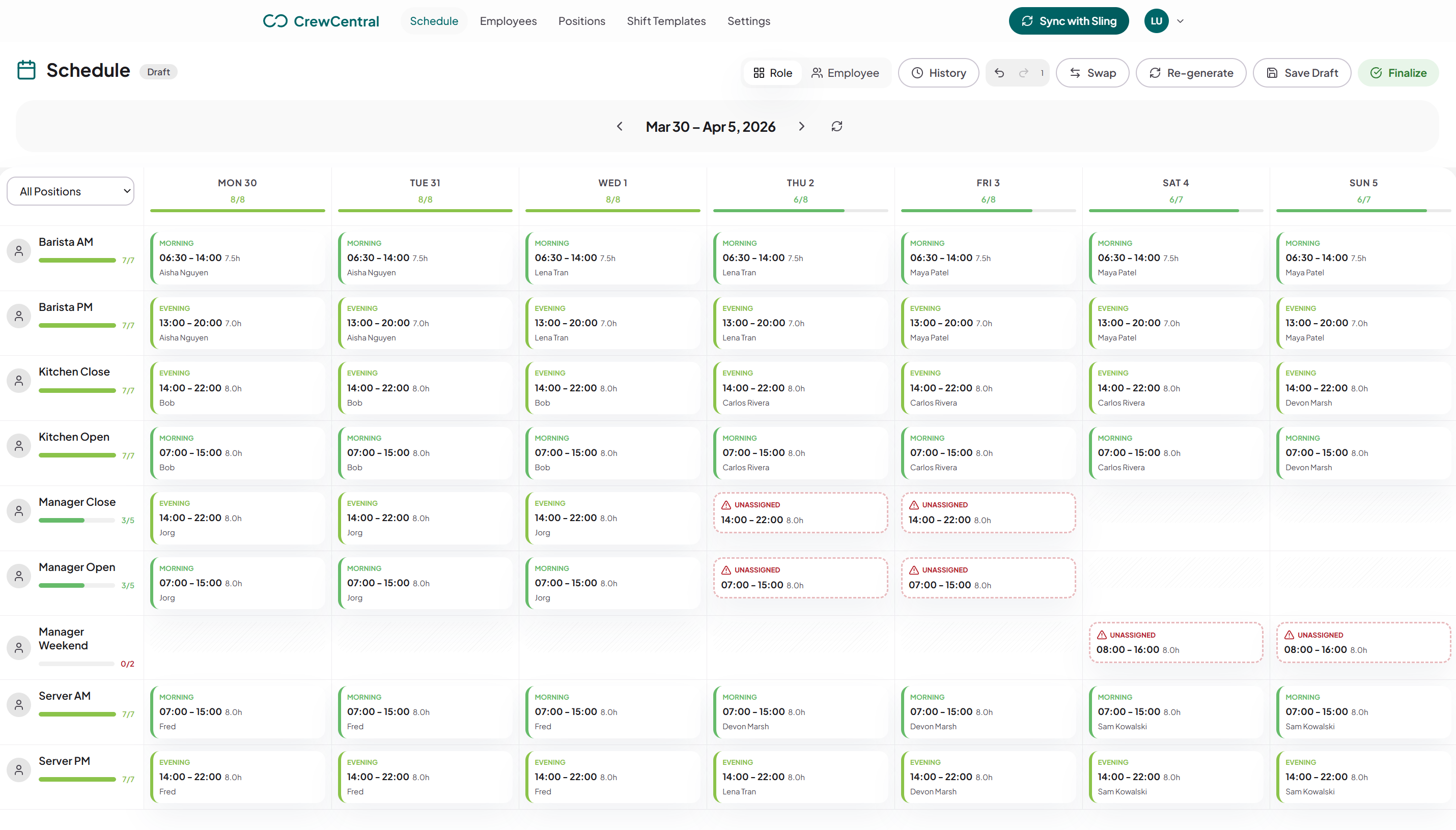
Employee Availability example: weekly shifts organized by role in the CrewCentral scheduling workspace
Built for this week

Useful before you create an account

Make a schedule, adjust the shifts, and print or download your week. When you are ready to plan with your team, start a CrewCentral workspace.

Recurring availability

Preferred shifts

Time off

Role preferences

Availability is the scheduling foundation

The fastest weekly schedule is the one that already knows who can work, who prefers which shift, and which roles they can cover.

  • Separate unavailable time from preferred shifts
  • Keep role eligibility visible
  • Use worker profiles instead of recurring text threads

Designed for hospitality teams

Restaurant, cafe, and bar teams need availability tied to service periods, role skills, and last-minute changes. CrewCentral keeps those details in the scheduling workflow.

  • FOH and BOH preferences
  • Late-night and weekend availability
  • Manager review before publishing
Your next step

Start with a schedule. Grow into a team workspace.

Free schedule maker

  • Build and edit a weekly schedule
  • Print or download the week
  • Share a link with the people who need it
  • Pick up your draft again on this device

CrewCentral workspace

  • Keep team roles and availability together
  • Reuse shift patterns as you plan
  • Review the schedule before it goes out
  • Publish shifts for your team
Create a scheduling workspace
FAQ

Common questions

What should an employee availability form ask?

Ask when the person cannot work, when they prefer to work, role preferences, location limits, and one-off time-off requests.

Is availability public?

No. Availability belongs inside the team workspace and should only be used for scheduling unless the worker grants other permissions.

How does availability feed the schedule?

Managers review availability before assigning shifts. CrewCentral can keep recurring availability and role preferences attached to a worker profile for reuse.